We used BrowserStack for a while. It’s a great tool, real devices, fast live testing, clean UI. But over time, one thing kept bothering us: we had no control. We were dependent on a third-party cloud for something as fundamental as knowing whether our UI renders correctly in Safari or Firefox. When we started thinking seriously about open-source tooling and owning more of our stack, BrowserStack was one of the first things we reconsidered.
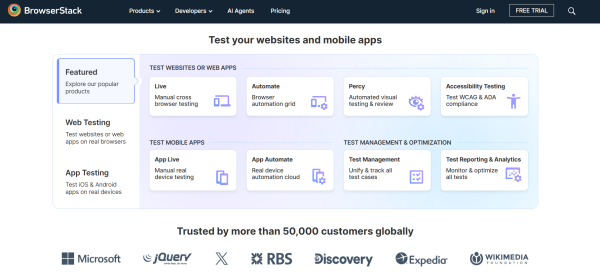
So we explored the alternatives. We tested them. We broke things. And eventually we landed on a mix of free tools that now covers our cross-browser compatibility needs completely.
Why We Wanted Out of BrowserStack
It wasn’t about cost alone. BrowserStack is genuinely useful, and if budget isn’t a concern, it’s hard to fault. Our issue was control. Every test we ran was going through someone else’s infrastructure. We couldn’t customize the environments deeply, and we were always one pricing change or service outage away from a broken workflow.
We wanted tools we could own, configure, and run ourselves, tools that the community actively maintains and that we could contribute to if needed. That shifted us toward open-source alternatives pretty quickly.
The Mix We Now Use
We didn’t land on a single replacement. Cross-browser compatibility testing has a few different dimensions, manual spot-checking, automated regression testing, and CI/CD integration — and different tools shine in different areas. Here’s what our current stack looks like:
- Playwright – Our Primary Automation Layer
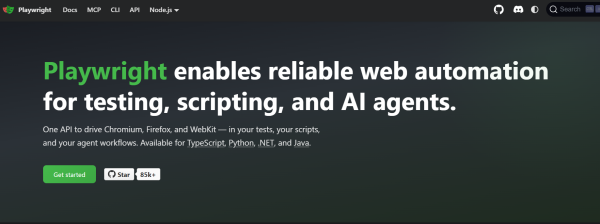
Playwright, built by Microsoft, became the backbone of our automated cross-browser testing. The reason is straightforward: it runs tests against Chromium, Firefox, and WebKit natively. That’s the three major browser engines covered in a single open-source framework, running locally or in CI without any cloud dependency.
For cross-browser compatibility specifically, Playwright lets us catch rendering and behavior differences between engines early, before they ever reach a user. The API is clean, the documentation is excellent, and the test runner is fast. This is now the first thing we set up on any new project.
- Cypress – For Interactive, Developer-Friendly Testing
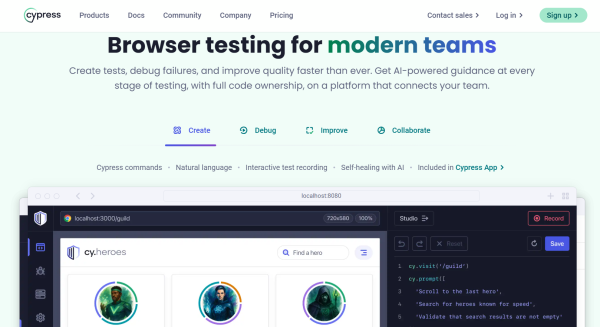
We use Cypress alongside Playwright, primarily for its developer experience. The visual test runner and time-travel debugging make it much easier to diagnose *why* something fails in a specific browser context. When a Playwright test flags an issue, Cypress often helps us dig into it faster.
Cypress is strongest on Chromium-based browsers, so it doesn’t replace Playwright’s multi-engine coverage. But as a debugging and development tool, it earns its place in the workflow.
- Selenium – When We Need Full Control
Selenium is old, but it’s not obsolete. For cases where we need highly specific browser configurations or need to test in browsers that Playwright doesn’t cover, we spin up a self-hosted Selenium Grid. It’s more effort to set up and maintain than the other tools, but the control you get is unmatched.
We don’t use Selenium as our daily driver anymore – Playwright has replaced it for most tasks — but it remains in our toolkit for edge cases and legacy browser coverage.
- LambdaTest – For Live Manual Testing

Not everything can be caught by automated tests. Sometimes you need to actually see a page render in a specific browser on a specific OS. LambdaTest’s free tier fills that gap for us. It’s the closest thing to BrowserStack in terms of live interactive testing, and the free plan is usable enough for occasional manual spot-checks.
We reach for LambdaTest when a stakeholder reports a visual bug in a specific browser and we need to reproduce it quickly without spinning up a VM.
What This Stack Covers
Between these four tools, we have solid coverage across the main cross-browser testing scenarios:
– Automated regression testing across browser engines → Playwright
– Interactive debugging and development → Cypress
– Edge cases and legacy browsers → Selenium Grid
– Manual live testing and visual verification → LambdaTest (free tier)
The result is a workflow that’s more flexible, more transparent, and entirely within our control. We know exactly what’s running, where it’s running, and why.
Is BrowserStack Still Worth It?
Honestly, for teams that just want something that works out of the box with zero setup, yes, BrowserStack is still worth considering. Real device testing in particular is hard to replicate with open-source tooling alone.
But if you value open-source control, want to own your testing infrastructure, or are working on a budget, the combination of Playwright, Cypress, Selenium, and LambdaTest’s free tier is a genuinely capable alternative. It took us some time to get the mix right, but we haven’t looked back.