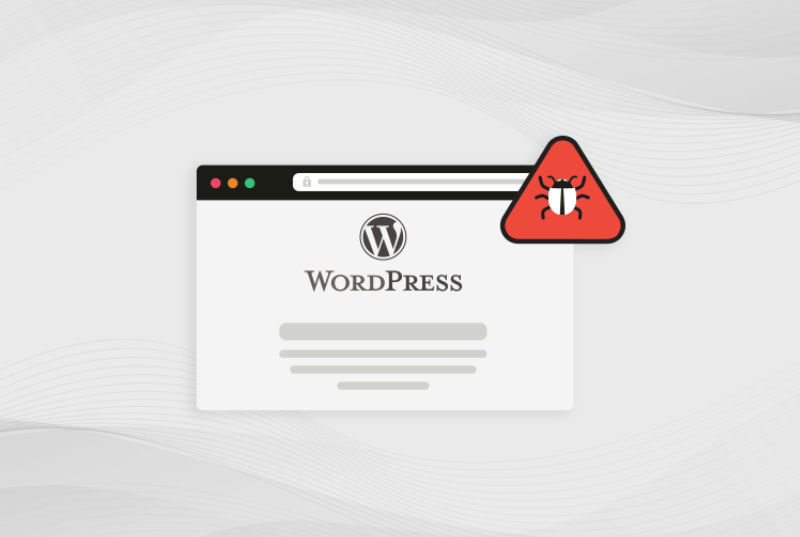
Malware infections continue to threaten WordPress websites in 2026, particularly those using outdated plugins, nulled themes, or weak security configurations. If your website is redirecting users, showing pop-ups, slowing down, or behaving abnormally, a malware infection is highly likely.
This comprehensive guide outlines 10 practical, professional-level steps to fully remove malware from your WordPress website.
Step 1: OAuth Authentication
Dubai Pay requires a Bearer access token before any API call can be made.
Generating Access Token
function getAccessToken($clientId, $clientSecret)
{
$url = “https://ids.qa.dubai.gov.ae/oauth2/token”;
$credentials = base64_encode($clientId . “:” . $clientSecret);
$ch = curl_init($url);
curl_setopt_array($ch, [
CURLOPT_RETURNTRANSFER => true,
CURLOPT_POST => true,
CURLOPT_HTTPHEADER => [
“Authorization: Basic ” . $credentials,
“Content-Type: application/x-www-form-urlencoded”
],
CURLOPT_POSTFIELDS => http_build_query([
“grant_type” => “client_credentials”,
“scope” => “openid”
])
]);
$response = curl_exec($ch);
curl_close($ch);
}
1. Replace WordPress Core Files with Fresh Copies
Hackers frequently modify WordPress core files, injecting malware deep within the system.
Signature Example:
- Delete everything except:
/wp-content/
wp-config.php - Download the latest clean WordPress package from wordpress.org
- Replace your existing files with fresh copies
This removes:
- Tampered wp-admin and wp-includes files
- Obfuscated PHP shells
Step 1: OAuth Authentication
Dubai Pay requires a Bearer access token before any API call can be made.
Generating Access Token
function getAccessToken($clientId, $clientSecret)
{
$url = “https://ids.qa.dubai.gov.ae/oauth2/token”;
$credentials = base64_encode($clientId . “:” . $clientSecret);
$ch = curl_init($url);
curl_setopt_array($ch, [
CURLOPT_RETURNTRANSFER => true,
CURLOPT_POST => true,
CURLOPT_HTTPHEADER => [
“Authorization: Basic ” . $credentials,
“Content-Type: application/x-www-form-urlencoded”
],
CURLOPT_POSTFIELDS => http_build_query([
“grant_type” => “client_credentials”,
“scope” => “openid”
])
]);
$response = curl_exec($ch);
curl_close($ch);
}
2. Remove Suspicious Plugins and Themes
Infected plugins and themes (especially nulled ones) are the leading cause of WordPress hacks in the UK.
What to Do:
- Remove plugins/themes you do not recognise
- Delete all deactivated plugins
- Reinstall trusted plugins from WP.org or official developers
Common suspicious folders include:
/wp-content/plugins/wp-v2/
/wp-content/plugins/adminer/
/wp-content/themes/twentyfifteen-old/
If it looks unusual → delete it immediately.
Step 1: OAuth Authentication
Dubai Pay requires a Bearer access token before any API call can be made.
Generating Access Token
function getAccessToken($clientId, $clientSecret)
{
$url = “https://ids.qa.dubai.gov.ae/oauth2/token”;
$credentials = base64_encode($clientId . “:” . $clientSecret);
$ch = curl_init($url);
curl_setopt_array($ch, [
CURLOPT_RETURNTRANSFER => true,
CURLOPT_POST => true,
CURLOPT_HTTPHEADER => [
“Authorization: Basic ” . $credentials,
“Content-Type: application/x-www-form-urlencoded”
],
CURLOPT_POSTFIELDS => http_build_query([
“grant_type” => “client_credentials”,
“scope” => “openid”
])
]);
$response = curl_exec($ch);
curl_close($ch);
}
3. Scan Files for Malware Signatures
Hackers often hide malware using encoded or obfuscated PHP.
Recommended Tools:
- Wordfence Scanner
- Sucuri Malware Scanner
- WPScan (CLI)
- Maldet + ClamAV (server-level)
High-risk PHP functions include:
eval(
base64_decode(
gzuncompress(
preg_replace(“/.*/e”
shell_exec(
system(
Delete or replace any file containing these patterns unless verified as legitimate.
Step 1: OAuth Authentication
Dubai Pay requires a Bearer access token before any API call can be made.
Generating Access Token
function getAccessToken($clientId, $clientSecret)
{
$url = “https://ids.qa.dubai.gov.ae/oauth2/token”;
$credentials = base64_encode($clientId . “:” . $clientSecret);
$ch = curl_init($url);
curl_setopt_array($ch, [
CURLOPT_RETURNTRANSFER => true,
CURLOPT_POST => true,
CURLOPT_HTTPHEADER => [
“Authorization: Basic ” . $credentials,
“Content-Type: application/x-www-form-urlencoded”
],
CURLOPT_POSTFIELDS => http_build_query([
“grant_type” => “client_credentials”,
“scope” => “openid”
])
]);
$response = curl_exec($ch);
curl_close($ch);
}
4. Clean the Database of Malware
Malware frequently spreads to the database through:
- Injected JavaScript
- Spam content
- Hidden admin accounts
- Corrupted cron jobs
Run the following queries:
SELECT * FROM wp_posts WHERE post_content LIKE ‘%<script%’;
SELECT * FROM wp_options WHERE option_value LIKE ‘%base64%’;
SELECT * FROM wp_users;
Remove:
- Suspicious user accounts
- Malicious scripts
- Infected cron entries
Step 1:OAuth Authentication
Dubai Pay requires a Bearer access token before any API call can be made.
Generating Access Token
function getAccessToken($clientId,$clientSecret)
{
$url=“https:
$credentials=base64_encode($clientId.“:”.$clientSecret);
$ch=curl_init($url);
curl_setopt_array($ch,[
CURLOPT_RETURNTRANSFER=>!0,
CURLOPT_POST=>!0,
CURLOPT_HTTPHEADER=>[
“Authorization:Basic ”.$credentials,“Content-Type:application/x-www-form-urlencoded”],
CURLOPT_POSTFIELDS=>http_build_query([
“grant_type”=>“client_credentials”,
“scope”=>“openid”
])
]);
$response=curl_exec($ch);
curl_close($ch)}
5.Remove Malware from the Uploads Folder
The uploads directory is one of the most commonly exploited locations.
Check for:
Any.php files inside:
/wp-content/uploads/ There should never be PHP files in this folder.
Delete files such as:
1index.php
shell.php
payload.php
a.php
Step 1:OAuth Authentication
Dubai Pay requires a Bearer access token before any API call can be made.
Generating Access Token
function getAccessToken($clientId,$clientSecret)
{
$url=“https:
$credentials=base64_encode($clientId.“:”.$clientSecret);
$ch=curl_init($url);
curl_setopt_array($ch,[
CURLOPT_RETURNTRANSFER=>!0,
CURLOPT_POST=>!0,
CURLOPT_HTTPHEADER=>[
“Authorization:Basic ”.$credentials,“Content-Type:application/x-www-form-urlencoded”],
CURLOPT_POSTFIELDS=>http_build_query([
“grant_type”=>“client_credentials”,
“scope”=>“openid”
])
]);
$response=curl_exec($ch);
curl_close($ch)}
6.Remove Backdoors(Most Critical Step)
A backdoor allows attackers to regain access even after cleaning the site.
Common locations:
- wp-config.php
- functions.php
- Old/unused theme folders
- Hidden subdirectories inside/uploads/
Look for code snippets like:
if(isset($_REQUEST[‘cmd’])){system($_REQUEST[‘cmd’])} If any backdoor remains,reinfection is guaranteed.
Step 1:OAuth Authentication
Dubai Pay requires a Bearer access token before any API call can be made.
Generating Access Token
function getAccessToken($clientId,$clientSecret)
{
$url=“https:
$credentials=base64_encode($clientId.“:”.$clientSecret);
$ch=curl_init($url);
curl_setopt_array($ch,[
CURLOPT_RETURNTRANSFER=>!0,
CURLOPT_POST=>!0,
CURLOPT_HTTPHEADER=>[
“Authorization:Basic ”.$credentials,“Content-Type:application/x-www-form-urlencoded”],
CURLOPT_POSTFIELDS=>http_build_query([
“grant_type”=>“client_credentials”,
“scope”=>“openid”
])
]);
$response=curl_exec($ch);
curl_close($ch)}
7.Check the.htaccess File for Redirect Malware
Redirect infections are one of the most visible signs of a hacked site.
Example malicious rule:
RewriteRule^.*$ http: Fix:
- Remove suspicious rules
- Restore default WordPress rules
# BEGIN WordPress
RewriteEngine On
RewriteBase/RewriteRule^index\.php$ –[L]
RewriteCond%{REQUEST_FILENAME}!-f
RewriteCond%{REQUEST_FILENAME}!-d
RewriteRule./index.php[L]
# END WordPress
If any backdoor remains,reinfection is guaranteed.
Step 1:OAuth Authentication
Dubai Pay requires a Bearer access token before any API call can be made.
Generating Access Token
function getAccessToken($clientId,$clientSecret)
{
$url=“https:
$credentials=base64_encode($clientId.“:”.$clientSecret);
$ch=curl_init($url);
curl_setopt_array($ch,[
CURLOPT_RETURNTRANSFER=>!0,
CURLOPT_POST=>!0,
CURLOPT_HTTPHEADER=>[
“Authorization:Basic ”.$credentials,“Content-Type:application/x-www-form-urlencoded”],
CURLOPT_POSTFIELDS=>http_build_query([
“grant_type”=>“client_credentials”,
“scope”=>“openid”
])
]);
$response=curl_exec($ch);
curl_close($ch)}
8.Use a Professional Malware Removal Tool
If you prefer automated and reliable removal,use trusted tools.
Best Tools in 2026:
- Wordfence Premium
- Sucuri Security Platform
- MalCare Pro
These solutions:
- Detect infected files
- Remove malware automatically
- Provide firewalls and protection
- Harden your site security
Step 1:OAuth Authentication
Dubai Pay requires a Bearer access token before any API call can be made.
Generating Access Token
function getAccessToken($clientId,$clientSecret)
{
$url=“https:
$credentials=base64_encode($clientId.“:”.$clientSecret);
$ch=curl_init($url);
curl_setopt_array($ch,[
CURLOPT_RETURNTRANSFER=>!0,
CURLOPT_POST=>!0,
CURLOPT_HTTPHEADER=>[
“Authorization:Basic ”.$credentials,“Content-Type:application/x-www-form-urlencoded”],
CURLOPT_POSTFIELDS=>http_build_query([
“grant_type”=>“client_credentials”,
“scope”=>“openid”
])
]);
$response=curl_exec($ch);
curl_close($ch)}
9.Reinstall Fresh Copies of Themes
Themes,especially outdated ones are frequent targets for attackers.
Steps:
- Delete the entire theme folder
- Download a clean version
- Upload it to your website
Pay attention to:
- functions.php
- header.php
- footer.php
These are the most commonly modified files.
Step 1:OAuth Authentication
Dubai Pay requires a Bearer access token before any API call can be made.
Generating Access Token
function getAccessToken($clientId,$clientSecret)
{
$url=“https:
$credentials=base64_encode($clientId.“:”.$clientSecret);
$ch=curl_init($url);
curl_setopt_array($ch,[
CURLOPT_RETURNTRANSFER=>!0,
CURLOPT_POST=>!0,
CURLOPT_HTTPHEADER=>[
“Authorization:Basic ”.$credentials,“Content-Type:application/x-www-form-urlencoded”],
CURLOPT_POSTFIELDS=>http_build_query([
“grant_type”=>“client_credentials”,
“scope”=>“openid”
])
]);
$response=curl_exec($ch);
curl_close($ch)}
10.Clean Your Hosting Account or Server
If the infection repeatedly returns,the hosting account may also be compromised.
Essential actions:
- Update PHP to 8.2 or 8.3
- Change cPanel/FTP/SSH passwords
- Run a server scan:
clamscan-r/home/username - Remove unknown cron jobs
- Reset permissions:
find.-type d-exec chmod 755{}\;find.-type f-exec chmod 644{}\; This ensures malware cannot execute from outside WordPress.
BONUS:Harden Your Website After Cleaning
Strengthen your WordPress security to minimise the risk of future attacks.
Essential security practices:
- Enable Cloudflare WAF
- Install Wordfence Firewall
- Disable theme/plugin file editing:
define(‘DISALLOW_FILE_EDIT’,!0); - Limit login attempts
- Activate Two-Factor Authentication(2FA)
- Keep everything updated — WordPress,plugins and themes
Need Professional Assistance?
If you’d like expert help with removing malware,hardening security,performing backups,updates,monitoring and full protection,we offer complete WordPress maintenance packages.
Visit:WordPress Maintenance
Step 1:OAuth Authentication
Dubai Pay requires a Bearer access token before any API call can be made.
Generating Access Token
function getAccessToken($clientId,$clientSecret)
{
$url=“https:
$credentials=base64_encode($clientId.“:”.$clientSecret);
$ch=curl_init($url);
curl_setopt_array($ch,[
CURLOPT_RETURNTRANSFER=>!0,
CURLOPT_POST=>!0,
CURLOPT_HTTPHEADER=>[
“Authorization:Basic ”.$credentials,“Content-Type:application/x-www-form-urlencoded”],
CURLOPT_POSTFIELDS=>http_build_query([
“grant_type”=>“client_credentials”,
“scope”=>“openid”
])
]);
$response=curl_exec($ch);
curl_close($ch)}
Malware infections continue to threaten WordPress websites in 2026,particularly those using outdated plugins,nulled themes,or weak security configurations.If your website is redirecting users,showing pop-ups,slowing down,or behaving abnormally,a malware infection is highly likely.
This comprehensive guide outlines 10 practical,professional-level steps to fully remove malware from your WordPress website.
1.Replace WordPress Core Files with Fresh Copies
Hackers frequently modify WordPress core files,injecting malware deep within the system.
How to Clean:
- Delete everything except:
- /wp-content/
- wp-config.php
- Download the latest clean WordPress package from wordpress.org
- Replace your existing files with fresh copies
This removes:
- Tamperedwp-adminandwp-includesfiles
- Obfuscated PHP shells
- Hidden malicious injections
2.Remove Suspicious Plugins and Themes
Infected plugins and themes(especially nulled ones)are the leading cause of WordPress hacks in the UK.
What to Do:
- Remove plugins/themes you do not recognise
- Delete all deactivated plugins
- Reinstall trusted plugins from WP.org or official developers
Common suspicious folders include:
/wp-content/plugins/wp-v2/
/wp-content/plugins/adminer/
/wp-content/themes/twentyfifteen-old/
If it looks unusual → delete it immediately.
3.Scan Files for Malware Signatures
Hackers often hide malware using encoded or obfuscated PHP.
Recommended Tools:
- Wordfence Scanner
- Sucuri Malware Scanner
- WPScan(CLI)
- Maldet+ClamAV(server-level)
High-risk PHP functions include:
eval(
base64_decode(
gzuncompress(
preg_replace(“/.*/e”
shell_exec(
system(
Delete or replace any file containing these patterns unless verified as legitimate.
4.Clean the Database of Malware
Malware frequently spreads to the database through:
- Injected JavaScript
- Spam content
- Hidden admin accounts
- Corrupted cron jobs
Run the following queries:
SELECT*FROM wp_posts WHERE post_content LIKE‘%<script%’
SELECT*FROM wp_options WHERE option_value LIKE‘%base64%’
SELECT*FROM wp_users;
Remove:
- Suspicious user accounts
- Malicious scripts
- Infected cron entries
5.Remove Malware from the Uploads Folder
The uploads directory is one of the most commonly exploited locations.
Check for:
Any.phpfiles inside:
/wp-content/uploads/
There should never be PHP files in this folder.
Delete files such as:
1index.php
shell.php
payload.php
a.php
6.Remove Backdoors(Most Critical Step)
A backdoor allows attackers to regain access even after cleaning the site.
Common locations:
- wp-config.php
- functions.php
- Old/unused theme folders
- Hidden subdirectories inside/uploads/
Look for code snippets like:
if(isset($_REQUEST[‘cmd’])){system($_REQUEST[‘cmd’])}
If any backdoor remains,reinfection is guaranteed.
7.Check the.htaccess File for Redirect Malware
Redirect infections are one of the most visible signs of a hacked site.
Example malicious rule:
RewriteRule^.*$ http:href="https://www.smartwebagency.co.uk/get-in-touch/"class="elementor-button btn btn-solid btn-icon-right btn-hover-reveal btn-has-label">START YOUR PROJECT